How to Watch Foreign Movies with Real-time Subtitles
Watch content in any language with real-time subtitles. K-dramas, anime, French films — nothing is lost in translation.
Table of Contents
- A World of Content Awaits
- How Real-time Subtitles Work
- What You Can Watch
- Step-by-Step Setup Guide
- Best Practices for Watching Foreign Content
- Use Cases
- Thank You, Providers
- Frequently Asked Questions
A World of Content Awaits
The world is full of amazing stories. Korean dramas that capture your heart, Japanese anime with breathtaking animation, French cinema that explores the human condition, Spanish series with gripping plots, Bollywood films with incredible music — but language barriers often keep us from experiencing them.
Traditional subtitles have limitations: they might not be available, could be poorly translated, or simply don't exist for the content you want to watch. Fan translations can take months. Official subtitles might never come.
What if you could watch anything, in any language, with real-time subtitles generated instantly?
That's exactly what FluentCap makes possible.
How Real-time Subtitles Work
FluentCap uses advanced speech-to-text technology from providers like Deepgram, AssemblyAI, and Gladia to transcribe audio in real-time.
The Technology Behind It
Here's how the process works:
- Audio Capture — FluentCap captures system audio directly from your computer
- Speech Recognition — Audio is sent to AI providers who transcribe it in milliseconds
- Text Display — Subtitles appear on your screen with minimal delay
- Optional Translation — Transcribed text can be translated to your preferred language
This works with any video source because FluentCap captures at the system audio level — not tied to any specific app.
Supported Languages
Thanks to providers like Deepgram and AssemblyAI, FluentCap supports over 100 languages including:
- East Asian: Japanese, Korean, Mandarin, Cantonese, Vietnamese
- European: Spanish, French, German, Italian, Portuguese, Russian
- South Asian: Hindi, Bengali, Tamil, Telugu, Urdu
- Middle Eastern: Arabic, Hebrew, Persian, Turkish
- And many more...
What You Can Watch
Streaming Services
FluentCap works with any streaming platform:
| Platform | Content Types |
|---|---|
| Netflix | Korean dramas, Anime, International films |
| YouTube | Including livestreams, no subtitle dependence |
| Disney+ | Foreign language content |
| Prime Video | International originals |
| Crunchyroll | Anime with or without existing subs |
| Viki | Asian dramas |
| HBO Max | European films |
Local Video Files
Play any video file and get live subtitles:
- VLC, IINA, mpv — any video player
- Any format: MKV, MP4, AVI, MOV, WebM
- Blu-ray rips — watch without hardcoded subs
- Downloaded content — no internet subtitle search needed
Live Content
Real-time subtitles shine for live content:
- Twitch streams in any language
- International conferences and webinars
- Foreign sports commentary
- News broadcasts from any country
- YouTube Lives and premieres
Step-by-Step Setup Guide
What You Need
Before starting, make sure you have:
- A computer running macOS, Windows, or Linux
- Stable internet connection (for API calls)
- FluentCap installed (free download)
- API key from a speech-to-text provider (free credits available)
Step 1: Download FluentCap
Get the app from our download page. Installation takes less than a minute.
Step 2: Get Your Free API Key
Thanks to amazing providers, you can get started completely free:
| Provider | Free Credits | Hours Free | Sign Up |
|---|---|---|---|
| Deepgram | $200 | ~750 hours | Recommended |
| AssemblyAI | $50 | ~140 hours | Great accuracy |
| Gladia | 10 hrs/month | Forever free | Light use |
We recommend Deepgram for most users — fastest response time and excellent accuracy across 100+ languages.
Getting your Deepgram API key:
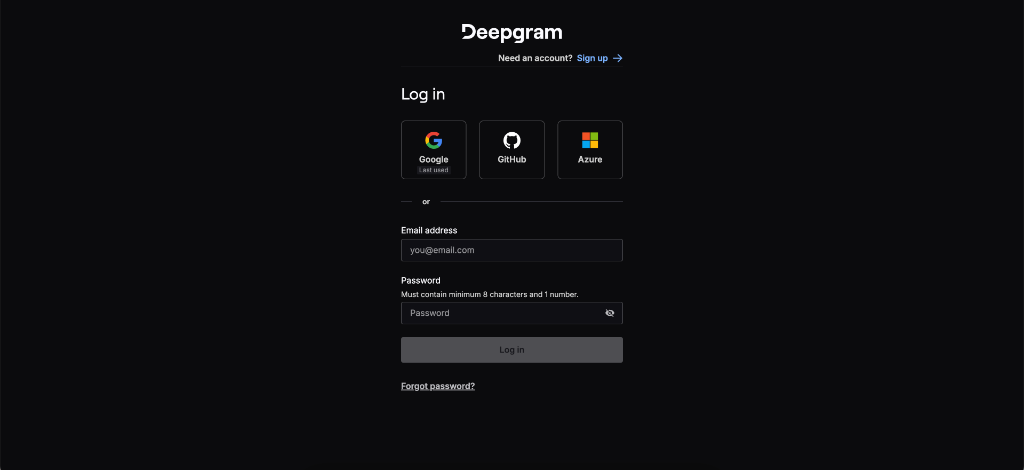
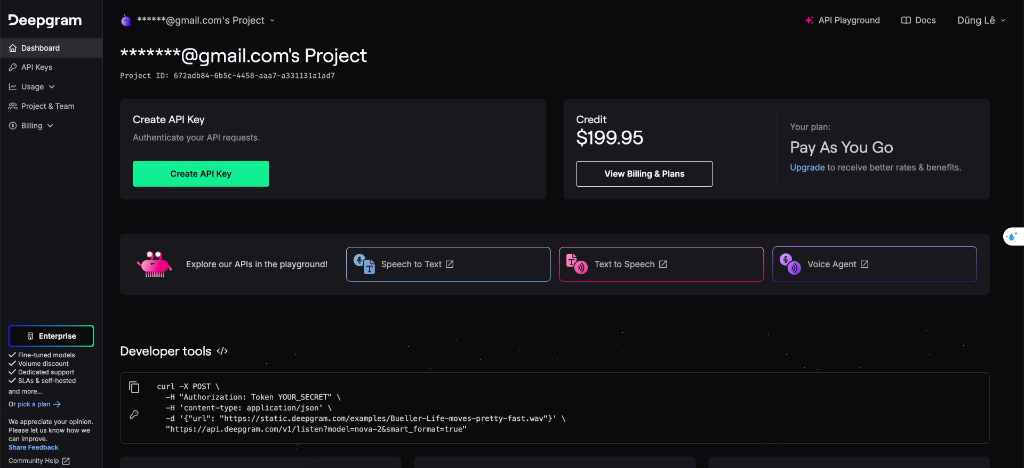
Sign up at console.deepgram.com, then navigate to API Keys:
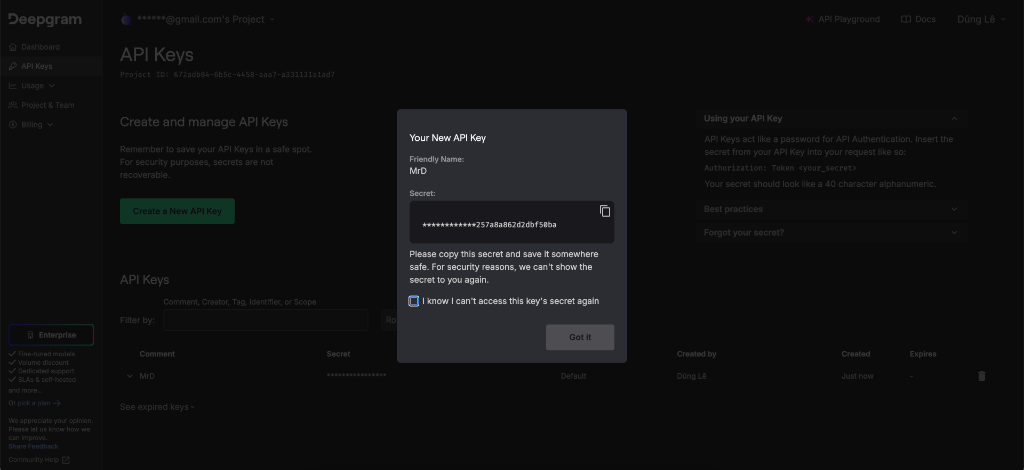
Click Create a New API Key and copy it:
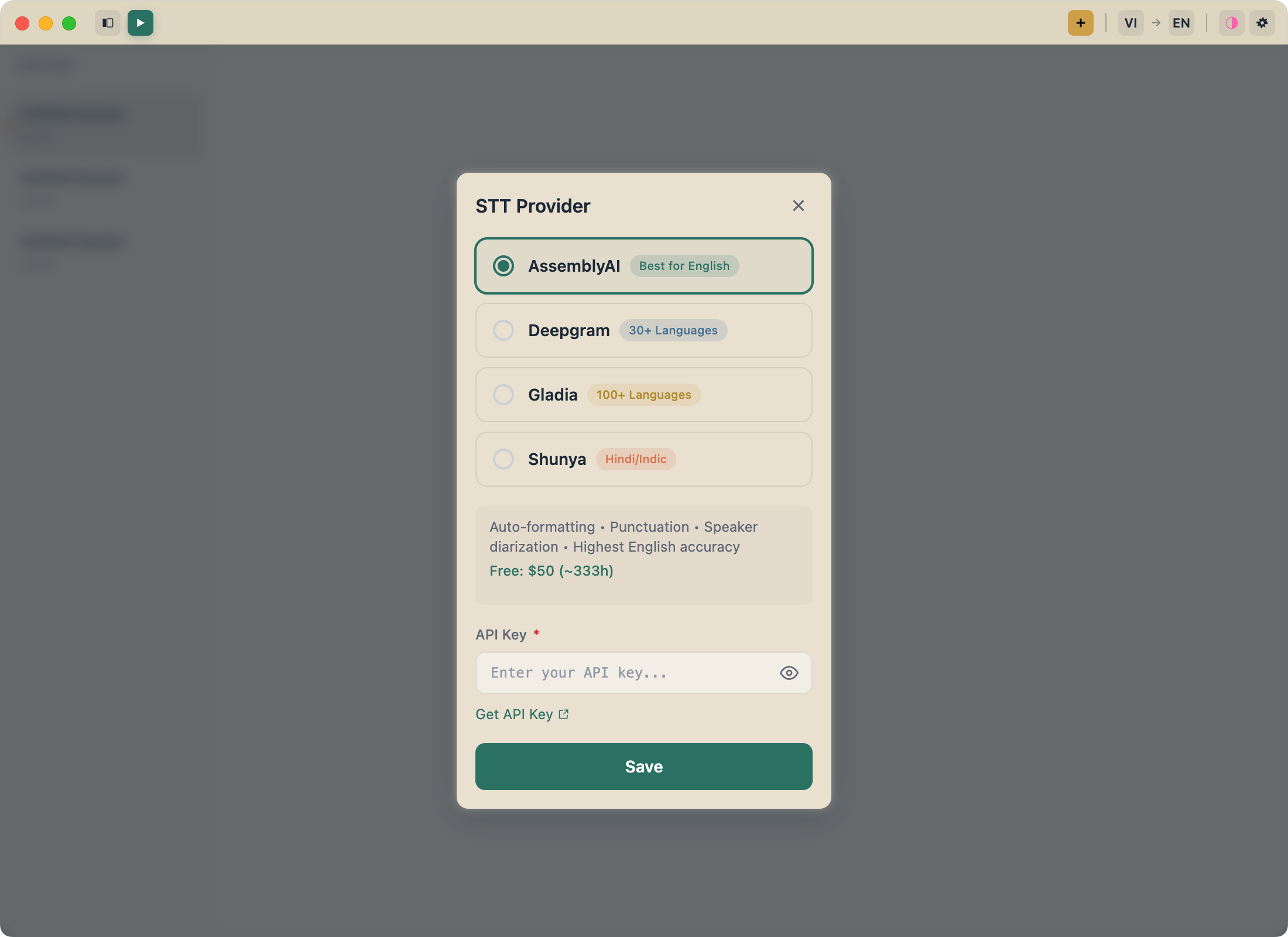
Step 3: Configure FluentCap
- Open FluentCap
- Go to Settings (gear icon)
- Select your provider (Deepgram, AssemblyAI, or Gladia)
- Paste your API key
- Choose your source language (or leave on Auto-detect)
Step 4: Start Watching
- Click Start Transcription in FluentCap
- Choose System Audio as your audio source
- Play your video in any app
- Subtitles appear in real-time!

Step 5: Enable Translation (Optional)
If you want subtitles in a different language than the audio:
- Go to FluentCap Settings
- Enable Translation
- Choose your target language (e.g., English)
- Audio is now transcribed AND translated in real-time

Best Practices for Watching Foreign Content
Optimize Your Setup
- Start FluentCap before the video — avoid missing the first few seconds
- Position subtitles carefully — don't overlap with hardcoded subs
- Use fullscreen mode — subtitles can overlay on top
- Pause when needed — FluentCap continues transcribing
Audio Quality Tips
For best transcription accuracy:
- Good speakers or headphones — ensures clear audio capture
- Avoid background noise — close other audio-playing apps
- Standard volume — not too quiet, not distorted
Learning While Watching
If you're learning the language:
- Start with content you've already seen in your native language
- Use the transcript to look up unfamiliar words
- Switch between transcription-only and translation mode
- Take notes on phrases you want to remember
Use Cases
Learning Languages
Watching content in your target language with real-time transcription is one of the best ways to learn:
- See pronunciation — how words are actually spoken
- Natural speech patterns — not textbook examples
- Vocabulary in context — learn words as native speakers use them
- Pause and review — study difficult sections
Research from the Foreign Service Institute shows immersive content helps accelerate language acquisition.
Connecting with Culture
Finally watch that film everyone's been talking about — without waiting for official subtitles or fan translations:
- Oscar winners in their original language
- Viral content before English subs exist
- Classic cinema with no commercial subtitle release
Accessibility
FluentCap helps make content accessible for:
- Hard of hearing viewers — live captions for any content
- Noisy environments — read what you can't hear
- Understanding accents — see the words clearly
Thank You, Providers
Real-time transcription with foreign movies is made possible by amazing speech-to-text providers. We're deeply grateful to:
- Deepgram — Ultra-fast Nova-2 model, $200 free credits
- AssemblyAI — Excellent accuracy, $50 free credits
- Gladia — 10 free hours every month
They offer generous free tiers so everyone can experience this technology. When your free credits run out, their pricing is incredibly fair — just $0.15-0.40 per hour, which is 60-80% cheaper than subscription apps.
We encourage you to support them; they're bringing language accessibility to the world.
Frequently Asked Questions
Does FluentCap work with Netflix and other streaming services?
Yes! FluentCap captures system audio, so it works with any streaming service including Netflix, YouTube, Disney+, Prime Video, Crunchyroll, and more. It's not limited to any specific platform.
How accurate are the real-time subtitles?
Accuracy depends on the speech-to-text provider and audio quality. With clear audio, providers like Deepgram and AssemblyAI achieve 95%+ accuracy for supported languages. Background music or multiple speakers may reduce accuracy.
Can I watch content in languages with no subtitles available?
Yes! That's one of FluentCap's biggest advantages. You can watch content in any of the 100+ supported languages, even if no official subtitles exist.
Is there any delay in the subtitles?
There's typically a 0.5-1 second delay between speech and subtitle display. This is fast enough for comfortable viewing while the AI processes the audio.
How much does it cost after free credits run out?
Providers charge approximately $0.15-0.40 per hour of audio. A typical 2-hour movie costs less than $1. This is significantly cheaper than monthly subtitle subscription services.
Start Watching Today
Ready to explore content in any language?
- Download FluentCap — Free, no account required
- Get a free API key from Deepgram or AssemblyAI
- Start watching in minutes
The whole world of content is waiting for you. No more language barriers. No more waiting for subtitles.
Related Articles
More ways to enjoy foreign content:
- Learn Languages by Watching Movies — Turn movie nights into language lessons
- Free Transcription: 750+ Hours Available — Maximize your free credits
- Real-Time Captions for Accessibility — Making audio accessible for everyone
— FluentCap Team
Built to bring good things to the world.