Online Courses in Any Language with AI Subtitles
The world's best professors are already teaching online — but 40% of the global population lacks access to education in their first language. AI-powered real-time subtitles are changing that.
- The Knowledge You Need Is Already Online — Just Not in Your Language
- How Big Is the Language Gap in Online Education?
- Why Traditional Subtitle Solutions Fall Short
- How AI Real-Time Subtitles Transform Online Learning
- Step-by-Step: Taking a Foreign Language Course with FluentCap
- Best Platforms for Foreign Language Courses
- Study Techniques That Maximize Comprehension
- Thank You to Our Providers
- Frequently Asked Questions
The Knowledge You Need Is Already Online — Just Not in Your Language
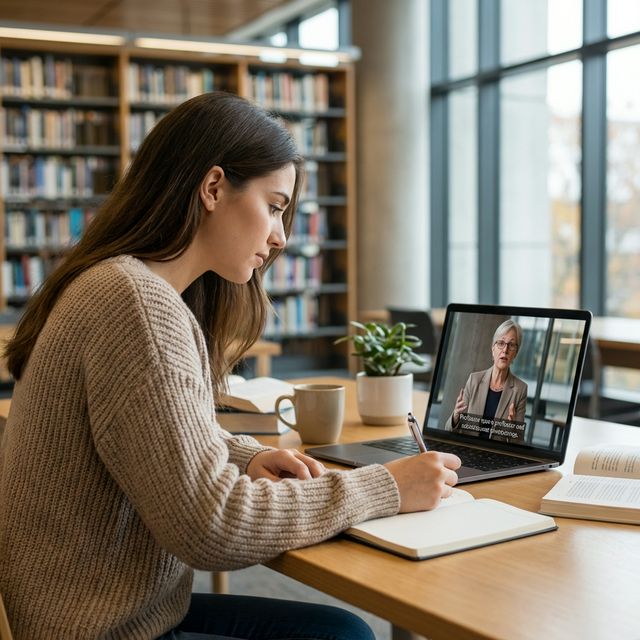
Imagine finding the perfect course on machine learning, taught by a Stanford professor, available for free on Coursera. You click play — and the lecture is entirely in English. Or you discover a brilliant mathematics series on a French university channel, but you do not speak French. The knowledge is right there. The barrier is language.
This is not a rare problem. According to UNESCO, roughly 40% of the world's population still lacks access to education in their first language. And in online education, the gap is even wider: the majority of the world's highest-quality courses are published in English, with limited subtitle or translation options.
The result? Millions of motivated learners are locked out of knowledge — not because they lack ability or internet access, but because they cannot follow the language of instruction.
Real-time AI subtitles are solving this problem. By generating live transcription and translation for any audio source, tools like FluentCap make it possible to take any online course in any language — regardless of whether the platform provides subtitles.
How Big Is the Language Gap in Online Education?
The Scale of Online Learning
The online education revolution has made world-class knowledge more accessible than ever:
| Platform | Scale | Key Facts |
|---|---|---|
| Coursera | 197 million registered learners | 375+ university and industry partners, 5,000+ courses |
| edX | Millions of learners worldwide | Founded by Harvard and MIT, offers degrees and certificates |
| MIT OpenCourseWare | Free access since 2001 | Thousands of MIT courses, no enrollment required |
| Khan Academy | 150+ million registered users | K-12 through college-level content in multiple subjects |
| YouTube Education | Billions of views | Lectures from universities worldwide, TED-Ed, science channels |
But Language Limits Access
Despite the scale, most courses are taught in a single language — usually English. Consider:
- Coursera's own data shows that learners complete translated courses 25% faster than courses offered only in the original language. Yet AI-dubbed courses are available for only about 100 courses across 4 languages so far.
- MIT OpenCourseWare offers thousands of courses — almost entirely in English. While the content is free and open, a Vietnamese student, a Brazilian researcher, or a Japanese engineer faces a significant comprehension barrier.
- YouTube auto-captions exist, but they cover a limited number of languages and are often inaccurate for academic content with technical terminology.
The International Student Challenge
For international students, this is not just an inconvenience — it is a structural disadvantage. Research from the British Council confirms that effective learning requires comprehensible input — learners must understand the core message before they can acquire new knowledge.
When a student is simultaneously struggling with language and complex academic content, cognitive load skyrockets. Research on language barriers in education shows that this dual burden reduces retention, slows progress, and increases dropout rates.
Why Traditional Subtitle Solutions Fall Short
Platform-Provided Subtitles Are Limited
Most online learning platforms offer subtitles in only a handful of languages:
- Coursera has made progress with AI-dubbed courses in Spanish, French, Brazilian Portuguese, and German — but this covers only ~100 of their 5,000+ courses. The remaining courses may have community-contributed subtitles of varying quality.
- edX offers subtitles primarily in English, with some courses translated by partner institutions.
- MIT OpenCourseWare provides transcripts for many courses, but only in English.
- YouTube auto-generated captions are available in several languages, but accuracy drops significantly for lectures with technical vocabulary, accents, or fast speech.
Manual Solutions Are Expensive
Hiring professional note-takers or translators for ongoing coursework can cost $25-50 per hour — making this impractical for individual learners or students in developing countries. Even institutional accommodations are often limited to enrolled students at well-funded universities.
Existing Browser Extensions Have Blind Spots
Browser-based caption tools typically:
- Only work with specific platforms (usually just YouTube)
- Cannot handle desktop applications or downloaded content
- Struggle with live or streaming lectures
- Offer limited language pairs for translation
How AI Real-Time Subtitles Transform Online Learning
FluentCap works differently from platform-specific solutions. Instead of relying on pre-made subtitles, it captures any audio playing on your computer and generates real-time transcription and translation.
How It Works
- System-Level Audio Capture — FluentCap captures audio from any source: browser tabs, desktop apps, video players, or streaming platforms
- Real-Time Speech-to-Text — Providers like Deepgram, AssemblyAI, and Gladia convert speech to text with high accuracy across 36-99+ languages
- Live Translation — See subtitles in your preferred language alongside the original transcript
- Learning Tools — Highlight vocabulary, check pronunciation with IPA, and record sessions for later review
Why This Matters for Online Courses
| Feature | Traditional Subtitles | FluentCap |
|---|---|---|
| Language coverage | 5-15 languages per platform | 36-99+ languages (provider-dependent) |
| Platform support | One platform only | Any audio source on your computer |
| Availability | Only if someone created them | Always available in real-time |
| Vocabulary tools | None | Highlight, IPA lookup, Speak |
| Recording | Not available | Record and replay with transcript |
Step-by-Step: Taking a Foreign Language Course with FluentCap
Step 1: Find Your Course
Browse any platform — Coursera, edX, YouTube, or even a university's own website. Choose the course based on content quality, not language availability. The best professors are often at institutions that teach in their national language.
Pro tip: Some of the world's best engineering courses come from French Grandes Écoles, German Technische Universitäten, and Japanese universities — all taught in their respective languages.
Step 2: Set Up FluentCap
- Open FluentCap on your computer
- Select the source language matching the lecture (e.g., French)
- Set your target language for translation (e.g., English or Vietnamese)
- Choose a speech-to-text provider — see pricing details for each provider's free tier
Step 3: Watch and Learn
Play the lecture in your browser or video player. FluentCap generates real-time subtitles in a separate overlay:
- Original transcript — see exactly what the professor says
- Translation — understand the meaning in your language
- Dual display — both languages visible simultaneously
Step 4: Capture Key Vocabulary
When the professor uses a technical term you want to remember:
- Highlight it in the live transcript using FluentCap's highlight feature
- Check pronunciation — select the word to see its IPA transcription
- Listen — click Speak to hear the correct pronunciation
- Review later — all highlights are saved for export and study
Step 5: Review Difficult Sections
Use FluentCap's recording and playback feature to:
- Record the entire lecture for later review
- Seek to specific sentences in the transcript
- Replay complex explanations at your own pace
- Compare your understanding with and without translation support
Best Platforms for Foreign Language Courses
Once you have real-time subtitles, the entire global catalog of online education opens up. Here are platforms worth exploring:
Free Platforms
| Platform | Strengths | Languages |
|---|---|---|
| MIT OpenCourseWare | Complete MIT curriculum, no registration | English (use FluentCap for translation) |
| Khan Academy | K-12 through college, interactive exercises | English + some translated content |
| Collège de France | France's premier research institution, free lectures | French |
| NPTEL | India's top technical courses from IITs | English and Hindi |
| Schiller International University / openHPI | German tech and innovation courses | German |
Premium Platforms with Free Audit Options
| Platform | Best For | Note |
|---|---|---|
| Coursera | University degrees and certificates | Many courses free to audit; AI dubbing in 4 languages |
| edX | Harvard, MIT, Berkeley courses | Audit most courses for free |
| FutureLearn | British and European universities | Strong humanities and social sciences catalog |
| Udemy | Practical skills, diverse instructors | Courses in 75+ languages natively |
YouTube Channels Worth Following
YouTube hosts thousands of university-quality lectures that never appear on MOOC platforms:
- MIT OpenCourseWare (YouTube) — Full lecture series from MIT
- Stanford Online — Computer science, AI, and engineering
- 3Blue1Brown — Mathematics visualization (English)
- Kurzgesagt — Science in German and English
- Collège de France (YouTube) — French academic lectures
Study Techniques That Maximize Comprehension
The Progressive Subtitling Method
Inspired by research on comprehensible input and delayed captioning, this method adapts subtitle use to your growing proficiency:
Week 1-2: Full Support
- Watch with both original transcript and translation enabled
- Focus on understanding the content, not the language
- Highlight key terms and their translations
Week 3-4: Reduced Support
- Switch to original-language subtitles only (no translation)
- Use translation only when genuinely stuck
- Start recognizing recurring academic vocabulary
Month 2+: Active Listening
- Use delayed captions — listen first, verify with text after 1-2 seconds
- Test comprehension by watching sections without any subtitles
- Build confidence with the academic register of the language
Combine Multiple Learning Channels
For the most effective learning, layer these approaches:
- Watch the lecture with FluentCap (primary input)
- Read course materials — most platforms provide PDF slides or reading lists
- Take notes in the target language to reinforce vocabulary
- Practice speaking — use the Speak feature to shadow the professor's pronunciation of key terms
- Review highlights — export saved vocabulary for spaced repetition study
Use the Right Provider for Academic Content
Different speech-to-text providers excel in different areas:
| Provider | Academic Strengths | Best For |
|---|---|---|
| Deepgram | Fast, accurate English transcription | English-language lectures |
| Gladia | 99+ languages, auto language detection | Non-English courses, multilingual content |
| AssemblyAI | Strong punctuation and formatting | Note-taking from lectures |
| Shunya | Cost-effective for long sessions | Extended lecture series |

Thank You to Our Providers
FluentCap is made possible by speech-to-text providers who believe in making education accessible to everyone:
- Deepgram: $200 in free credits (~750 hours of transcription)
- AssemblyAI: $50 in free credits (~140 hours)
- Gladia: 10 free hours every month
- Shunya: $100 in free credits (~300 hours)
These generous free tiers mean you can transcribe hundreds of hours of lectures before ever paying anything. When your credits run out, we encourage you to support them. Their pricing is incredibly fair — just $0.15-0.40 per hour, which is 60-80% cheaper than traditional subscription apps. A full semester of lectures costs less than a single textbook.
Frequently Asked Questions
Can FluentCap transcribe any online course platform?
Yes. FluentCap captures audio at the system level, so it works with any platform — Coursera, edX, YouTube, Udemy, university websites, downloaded video files, or even live Zoom lectures. As long as audio plays on your computer, FluentCap can transcribe and translate it in real-time.
How accurate are AI subtitles for academic lectures?
Modern speech-to-text providers achieve 93-95% accuracy for clear academic speech. Accuracy is highest for standard accents and structured lectures, and may vary for heavily accented speakers or courses with extensive technical jargon. For most educational content, AI subtitles provide reliable comprehension support.
Is FluentCap free for students?
FluentCap itself is completely free — there is no subscription or license fee. You only pay the speech-to-text provider for their service, and all providers offer generous free tiers. Deepgram alone offers $200 in free credits, which covers approximately 750 hours of transcription — enough for an entire semester of courses.
Can I save and review lecture transcripts?
Yes. FluentCap's recording feature lets you save audio and transcripts from lectures. You can replay specific sentences, review highlighted vocabulary, and use the transcript as study notes. The highlight feature also lets you build a personalized vocabulary collection from live transcripts.
Which languages are supported for online course transcription?
Language support depends on your chosen provider. Deepgram covers 36+ languages, Gladia supports 99+ languages, and AssemblyAI handles multiple major languages. This covers virtually all languages used in university-level instruction worldwide, including English, Spanish, French, German, Mandarin, Japanese, Korean, Hindi, Arabic, Portuguese, and many more.
Every Course Deserves to Be Understood
The promise of online education was always universal access to knowledge. Platforms like Coursera, edX, and MIT OpenCourseWare have removed the barriers of cost and geography. But language remains the final wall.
With real-time AI subtitles, that wall is coming down. A student in Vietnam can follow a Stanford AI lecture. A researcher in Brazil can study French philosophy at the Collège de France. A professional in Japan can take a German engineering course from a top Technische Universität.
The world's best teachers are already online. Now you can understand them all.
When you are ready, give FluentCap a try.
Related Articles
More ways to learn without language barriers:
- Language Barriers in Education: Solutions — How technology is closing the education gap
- Comprehensible Input: Learn English Naturally — The science behind understanding and acquiring language
- Delayed Captions: Train Your Listening — A powerful technique for active listening practice
- FluentCap Highlight Feature Guide — Save and organize vocabulary from live transcripts
- Pronunciation Practice with IPA & Speak — Master sounds with phonetic tools
- Cross-Border Remote Team Communication — Solutions for multilingual distributed teams
— FluentCap Team
Built to bring good things to the world.