Introducing FluentCap: Transcription for Everyone
We built FluentCap with a simple belief: language should never be a barrier to understanding, learning, or connecting with others.
- Why We Built FluentCap
- How FluentCap Works: The BYOK Model
- Thank You, Providers
- What You Can Transcribe
- Features
- Frequently Asked Questions
- Join Us
Why We Built FluentCap
We built FluentCap with a simple belief: language should never be a barrier to understanding, learning, or connecting with others.
Whether you're watching a foreign film, joining an international meeting, or trying to understand a podcast in another language — everyone deserves access to great transcription.
Our Mission
"We built FluentCap to bring good things to the world."
FluentCap is free forever. We don't charge subscriptions, we don't lock features behind paywalls, and we don't store your data on our servers.
How FluentCap Works: The BYOK Model
BYOK stands for "Bring Your Own Key." Instead of paying us, you connect directly to speech-to-text providers like Deepgram, AssemblyAI, or Gladia using your own API key.
This means:
- You pay providers directly — transparent, fair pricing
- Generous free credits — most providers offer $50-200 to get started
- No middleman — your audio goes directly to the provider
- Privacy-first — we never see or store your data
Getting Started
- Sign up with a provider (Deepgram, AssemblyAI, or Gladia)
- Copy your API key
- Paste it into FluentCap
- Start transcribing any audio
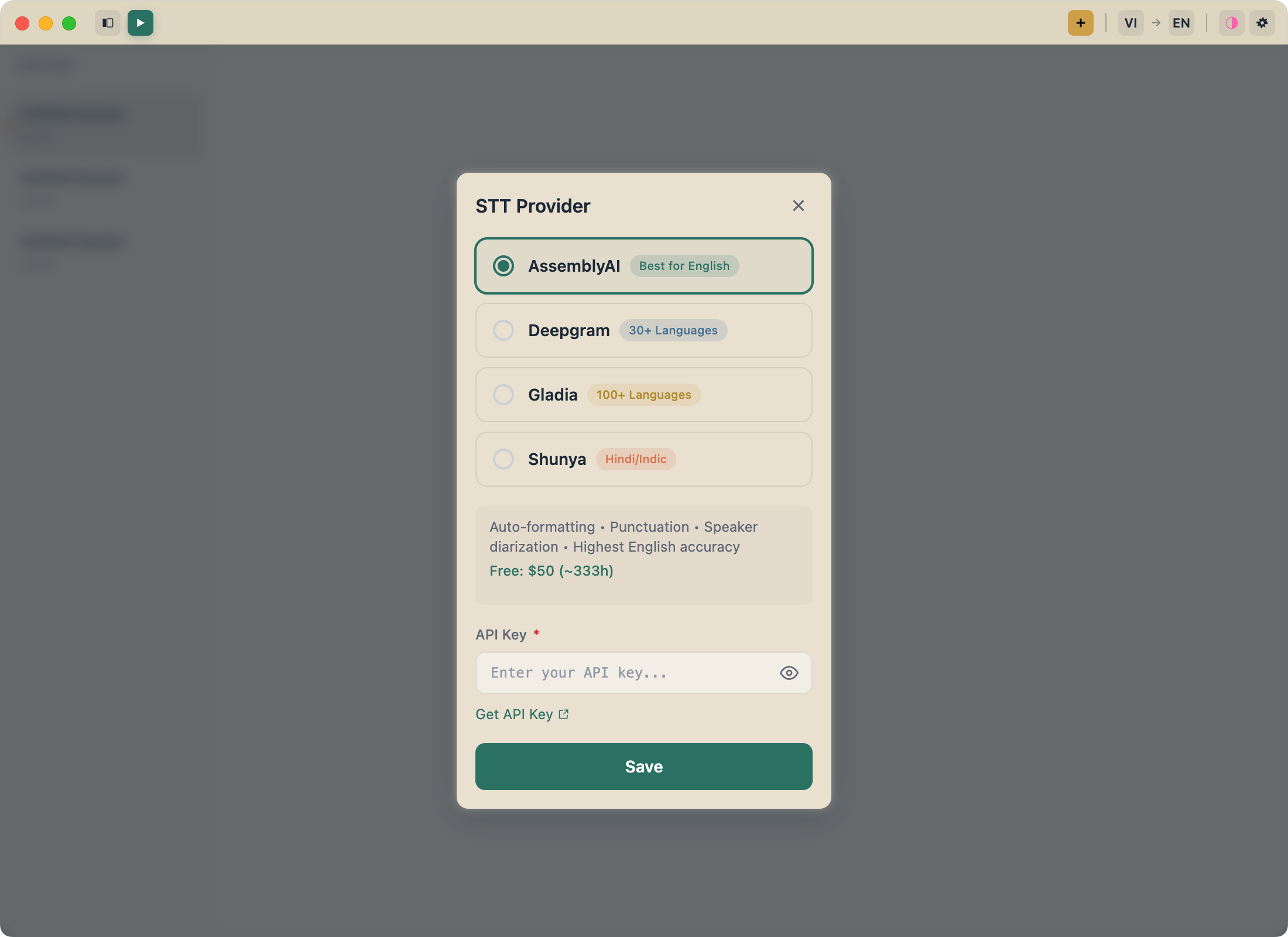
The whole process takes about 5 minutes.
Thank You, Providers
FluentCap wouldn't exist without amazing speech-to-text providers who make their technology accessible:
| Provider | Free Credits | What We Love |
|---|---|---|
| Deepgram | $200 | Fast, accurate, excellent real-time streaming |
| AssemblyAI | $50 | Great speaker identification |
| Gladia | 10 hrs/month | Perfect for casual users |
These companies generously offer free tiers so everyone can experience professional transcription. When you find value in their services, we encourage you to support them — their pricing is incredibly fair, and they deserve it.
What You Can Transcribe
FluentCap captures any audio on your computer:
Entertainment
- Foreign films without waiting for subtitles
- K-dramas, anime, and international shows
- Podcasts in any language
- YouTube videos and livestreams
Work & Learning
- International meetings and calls
- Online courses and lectures
- Webinars and conferences
- Research interviews
Personal
- Video calls with family abroad
- Learning new languages through content
- Making content accessible for everyone
Features
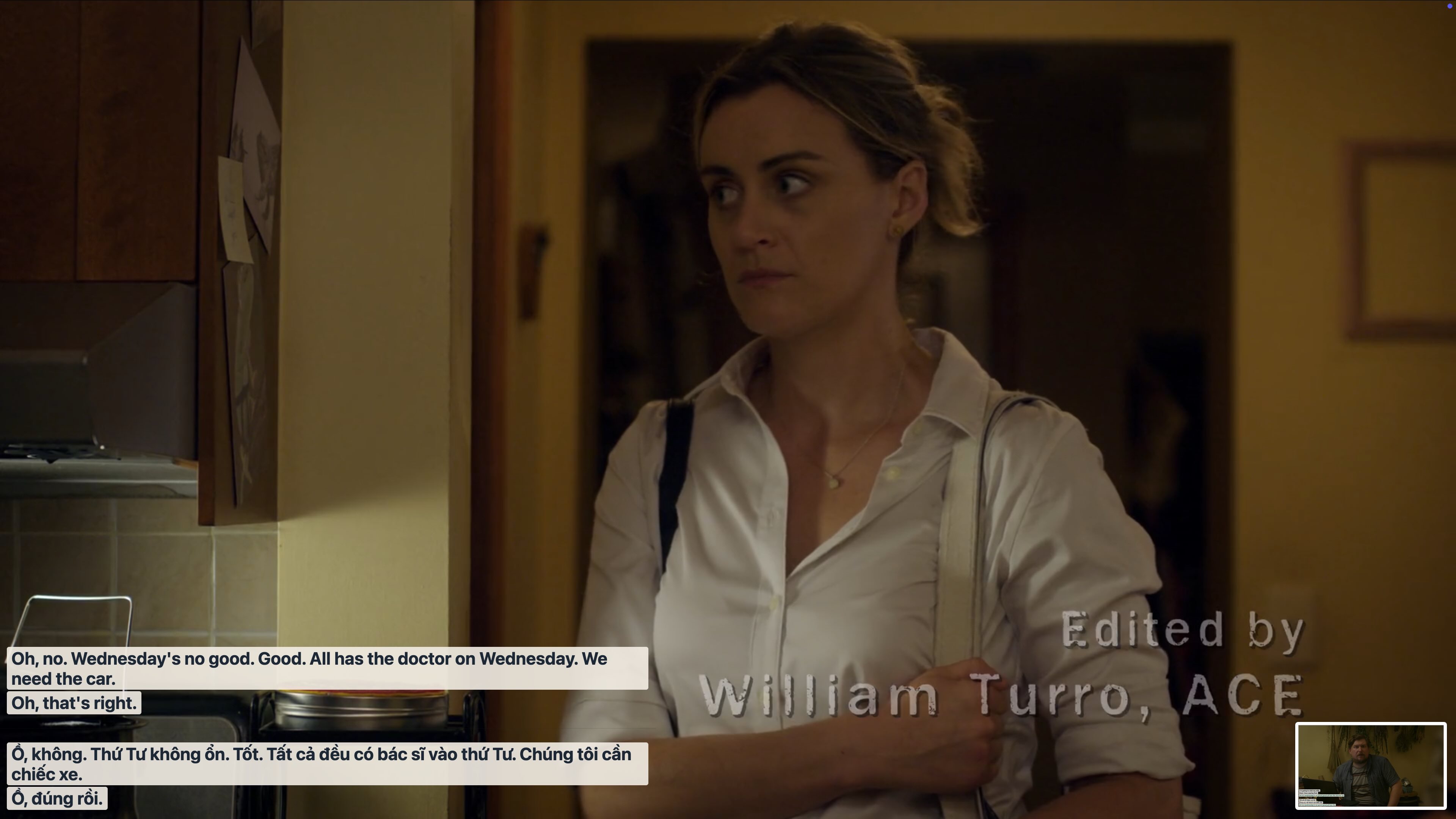
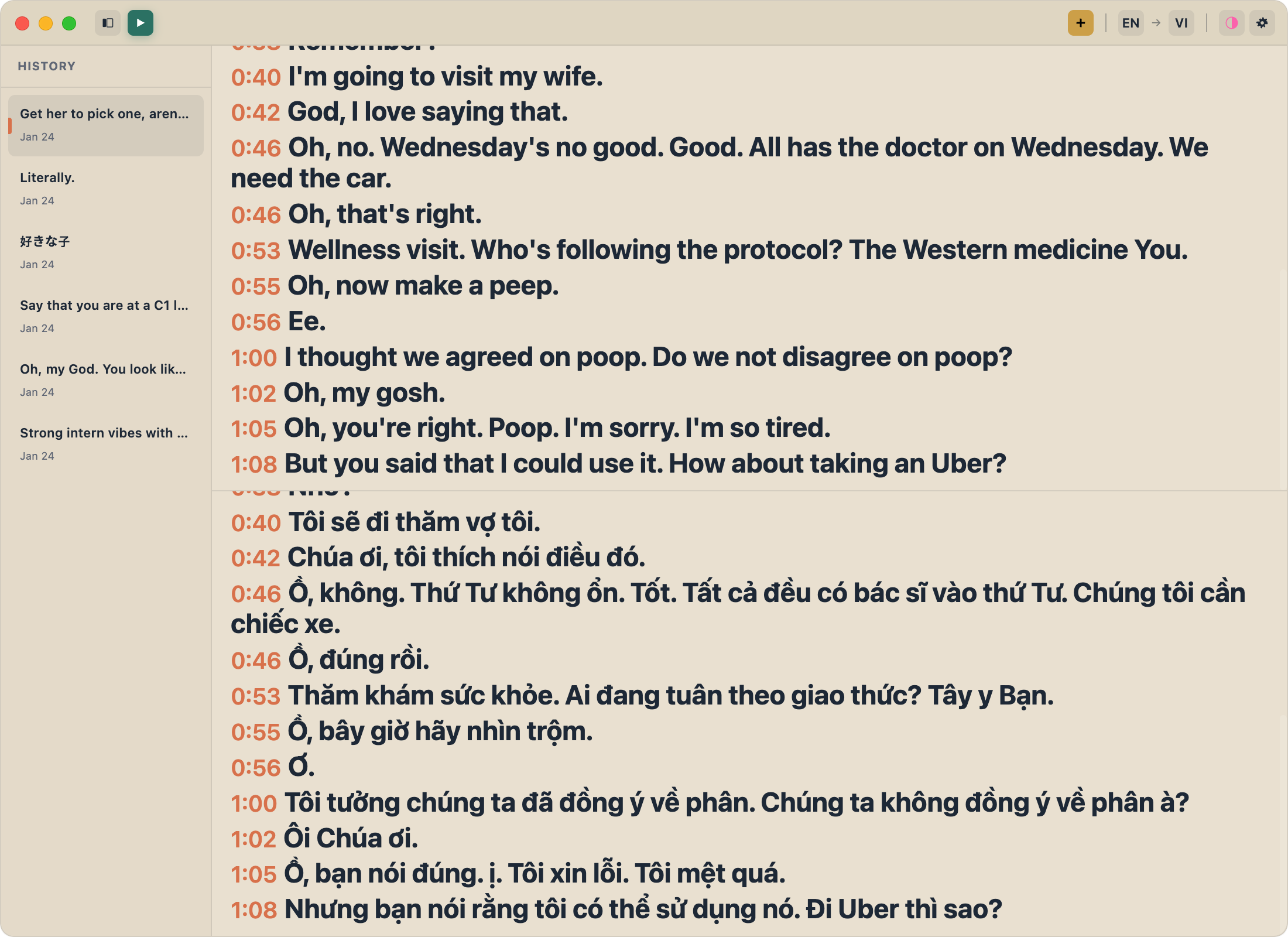
Dual Audio Capture
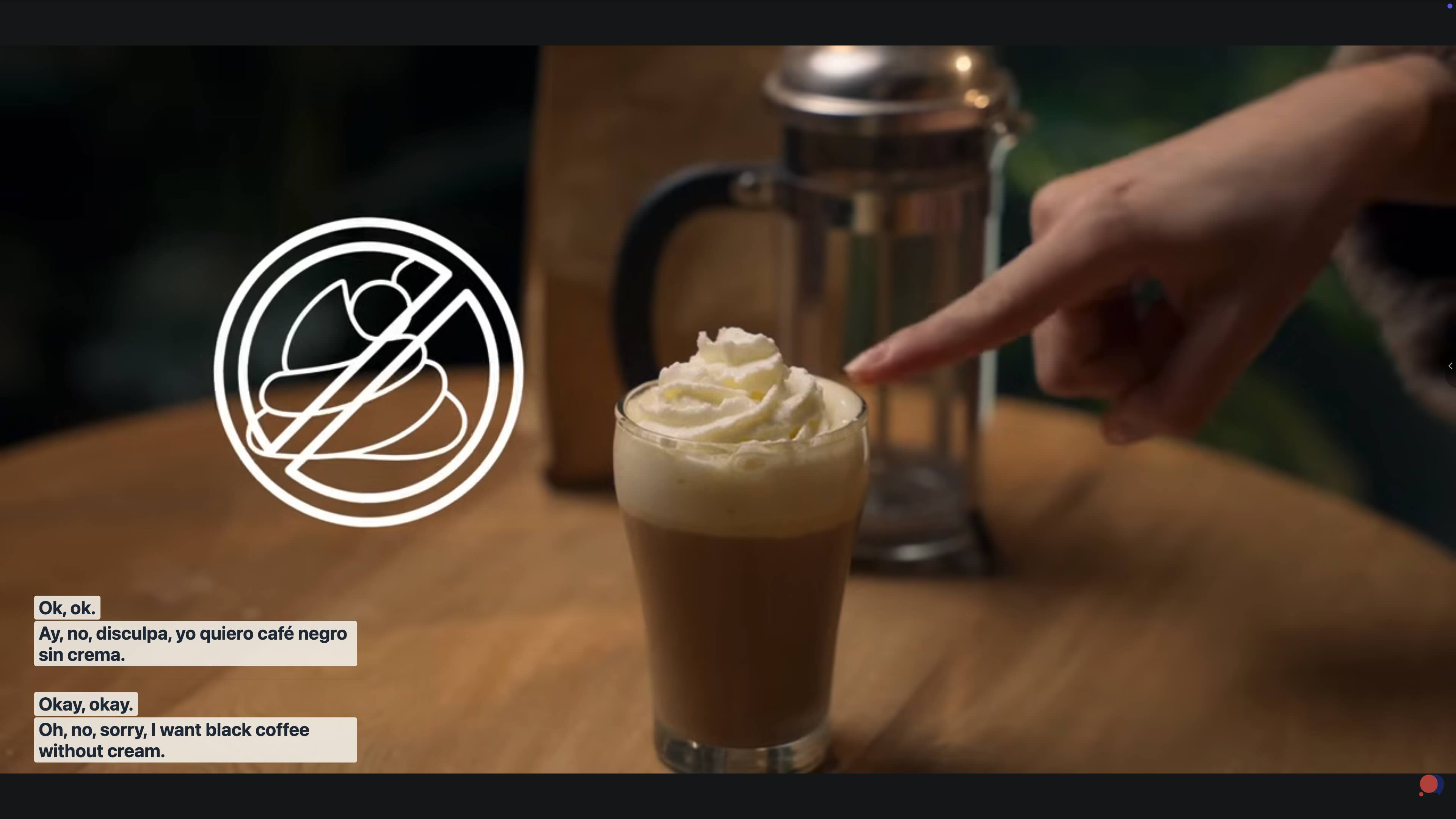
Record both system audio (what's playing on your computer) and microphone simultaneously. Perfect for meetings where you want both sides.
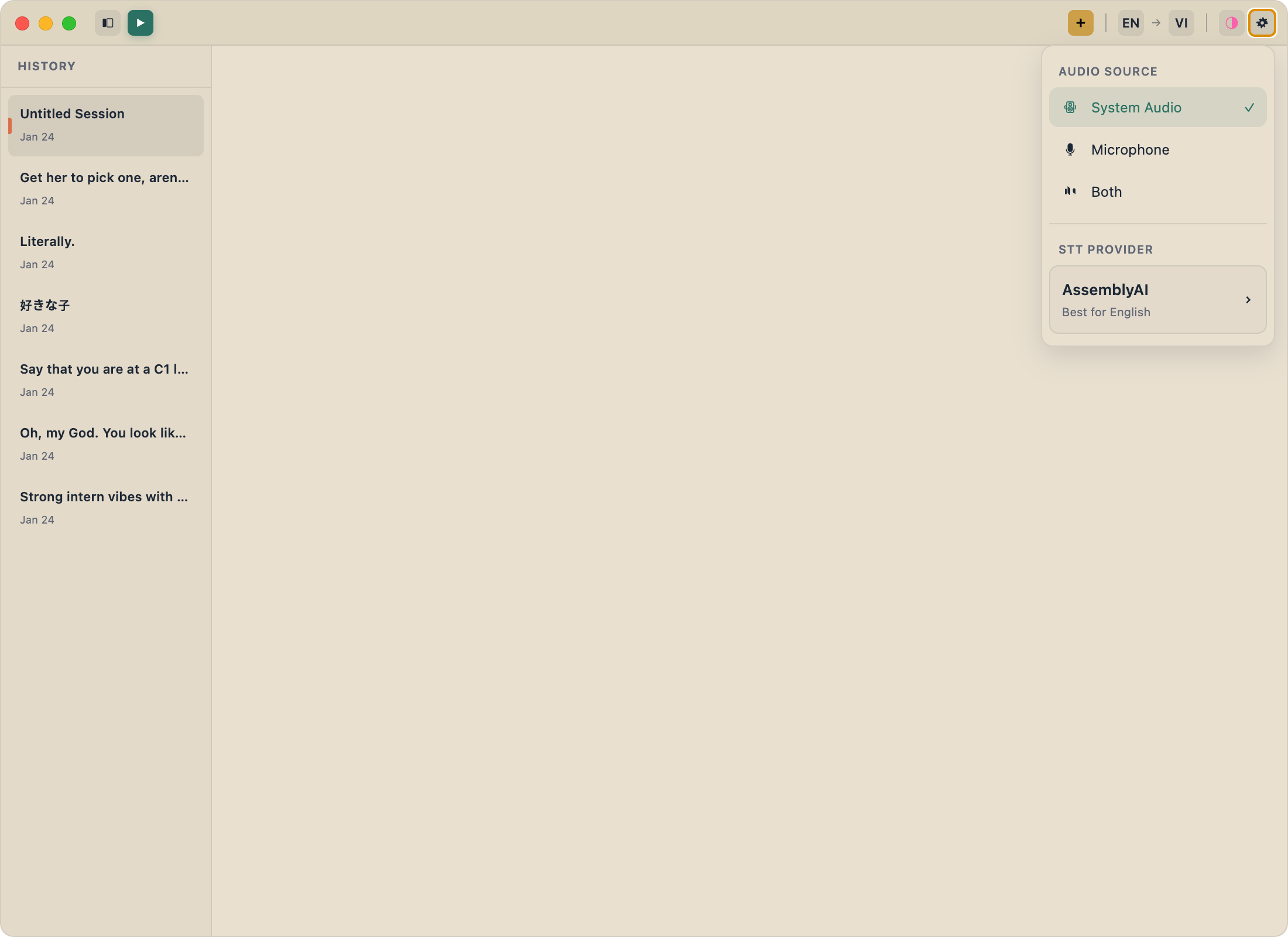
Real-time Translation
Transcribe in one language, display in another. Watch Japanese content with English text instantly.
Privacy-First Design
All transcripts stay on your machine. Nothing is stored on our servers, ever.
100+ Languages
Thanks to our providers' excellent language support, you can transcribe content in over 100 languages.
Session History
Review and export your past transcription sessions anytime.
Frequently Asked Questions
Is FluentCap really free?
Yes! FluentCap itself is completely free. You only pay the speech-to-text providers for the transcription, and they offer generous free credits to get started (Deepgram gives $200, AssemblyAI gives $50, Gladia gives 10 hours/month forever).
How much does it cost after free credits run out?
Providers charge approximately $0.15-0.40 per hour of audio. A typical 2-hour movie costs less than $1 — much cheaper than subscription services.
Does FluentCap store my audio or transcripts?
No. FluentCap is privacy-first by design. All transcripts stay on your local machine. We never see, store, or have access to your data.
What platforms does FluentCap support?
FluentCap is available for macOS, Windows, and Linux. It works with any audio source on your computer.
Can I use FluentCap offline?
FluentCap requires an internet connection to send audio to the speech-to-text providers. However, your transcripts are saved locally for offline access.
Join Us
We built FluentCap because we believe everyone deserves access to great transcription. No subscriptions, no paywalls, no data collection.
Just download, connect your API key, and start understanding the world.
Related Articles
Learn more about what you can do with FluentCap:
- Free Transcription: 750+ Hours Available — Maximize your free credits from providers
- Learn Languages by Watching Movies — Turn entertainment into education
- Watch Foreign Movies with Subtitles — Enjoy content from any country
- Multilingual Family Video Calls — Stay connected with family across languages
— FluentCap Team
Built to bring good things to the world.