Watch International Gaming Streams with Live Subtitles
The best streamers speak languages you don't understand? FluentCap adds real-time subtitles to any gaming livestream — Twitch, YouTube Gaming, AfreecaTV, and more. Never miss another highlight.
Table of Contents
- The Global Gaming Phenomenon
- The Language Barrier Problem
- International Gaming Livestream Subtitles with FluentCap
- Twitch & YouTube Gaming Subtitles Guide
- 5 Benefits of International Gaming Livestream Subtitles
- Getting Started: Your First Stream
- Thank You to Our Providers
- Frequently Asked Questions
The Global Gaming Phenomenon
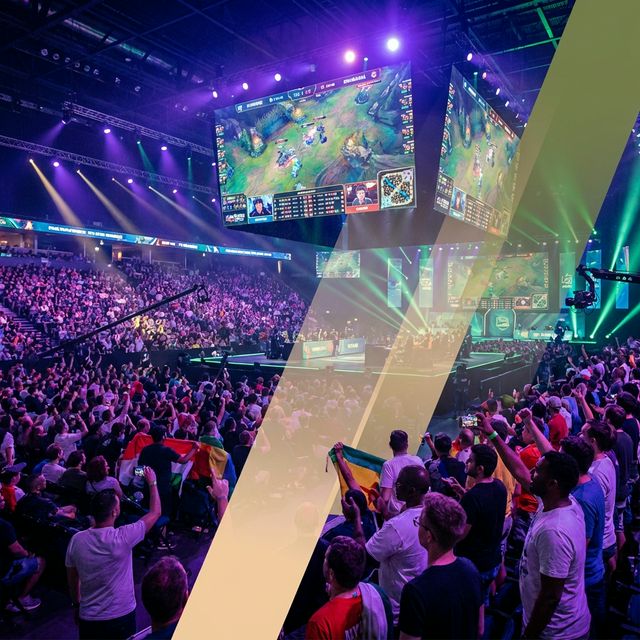
Gaming has become the world's most universal entertainment. In 2025, the global esports audience is projected to reach 641 million viewers, with 320 million considered core fans who regularly follow tournaments and streamers. That's more than the combined viewership of many traditional sports.
International gaming livestream subtitles allow you to watch any streamer in any language with real-time captions and translation. Whether it's Twitch, YouTube Gaming, or regional platforms like AfreecaTV and BiliBili, you can finally understand what your favorite international streamers are saying — without waiting for fan translations or missing the live experience.
But here's what makes gaming truly special: it transcends borders.
The most exciting streamers come from everywhere — Japan, Korea, Brazil, Russia, France, Germany, and beyond. Twitch reports that only 47% of watchtime is in English. That means over half of all gaming content is in other languages. YouTube Gaming has grown to 2.2 billion hours watched in Q2 2025 alone, with English content making up just one-quarter of its total viewership.
The gaming world is global. The question is: can you follow along?
The Language Barrier Problem
Your Favorite Streamers Speak Languages You Don't Understand
Picture this: You discover an incredible Japanese Valorant player with unreal aim. Or a Korean League of Legends pro who's crushing the ladder. Or a Brazilian Fortnite streamer whose energy is infectious.
There's just one problem: you don't understand a word they're saying.
| Region | Popular Streamers | Language |
|---|---|---|
| Japan | Fps_shaka, Stylishnoob | Japanese |
| Korea | Faker, T1 roster | Korean |
| Brazil | Gaules, Loud community | Portuguese |
| Russia | CIS streamers, Virtus.pro | Russian |
| France | ZeratoR, Sardoche | French |
| Germany | MontanaBlack, Trymacs | German |
The Real Cost of the Language Barrier
Without understanding the commentary, you miss:
- Strategic insights — Why did they make that play?
- Jokes and banter — The personality that makes streamers fun
- Community culture — Memes, inside jokes, references
- Learning opportunities — How to improve your own gameplay
- Full entertainment value — Half the experience is the talking
Platforms like Twitch and YouTube Gaming don't offer built-in translation. Auto-captions, when available, are often delayed and inaccurate for fast-paced gaming commentary.
Until now, there hasn't been a good solution.
International Gaming Livestream Subtitles with FluentCap
How It Works
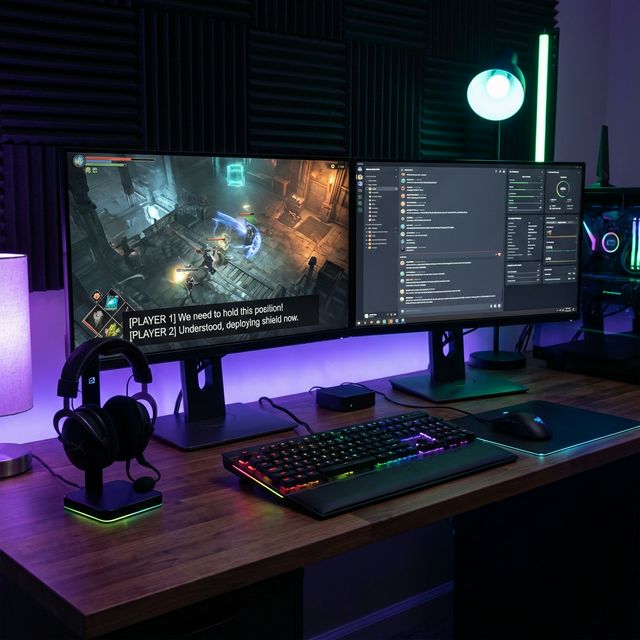
FluentCap captures any audio playing on your computer and transcribes it in real-time. This includes:
- Live streams — Twitch, YouTube Gaming, AfreecaTV, BiliBili, and more
- VODs and replays — Watch past broadcasts with subtitles
- Esports tournaments — International commentary in any language
- Game audio — Even in-game dialogue and cutscenes
No browser extensions. No complicated setup. If you can hear it on your computer, FluentCap can transcribe it.
Features Built for Gaming
| Feature | Why Gamers Love It |
|---|---|
| Real-time transcription | See what's being said as it happens |
| Translation option | Add your native language side-by-side |
| Adjustable position | Move subtitles anywhere on screen |
| Transparency control | Keep watching the gameplay |
| Highlight feature | Save interesting quotes or slang |
The Highlight feature is particularly useful for collecting gaming slang and expressions in other languages — perfect for language learners who want to sound natural in global gaming communities.
Twitch & YouTube Gaming Subtitles Guide
Twitch
As the leading gaming livestream platform, Twitch hosts streamers from around the world. While English dominates at 47% of watchtime, significant communities stream in:
- Russian (12% of watchtime)
- Spanish (10%)
- German (9%)
- Portuguese (8%)
With FluentCap:
- Open any Twitch stream in your browser
- FluentCap transcribes the streamer's voice in real-time
- Enable translation if you want subtitles in your language
Pro tip: For streams mixing multiple languages, FluentCap's auto-detect handles code-switching naturally.
YouTube Gaming
YouTube Gaming captured 24% of the live streaming market in Q2 2025, with strong growth in non-English content. Benefits for FluentCap users:
- Works with live streams and VODs
- Perfect for archived tournament broadcasts
- Handles both in-stream content and creators' commentary
AfreecaTV (Korean Gaming Hub)
AfreecaTV is where Korean esports legends stream. If you follow:
- League of Legends Korean solo queue
- StarCraft II legends
- Korean FPS pros
FluentCap makes Korean gaming content accessible. The clear audio quality of professional Korean streamers produces excellent transcription results.
BiliBili (Chinese Gaming Community)
BiliBili hosts China's massive gaming community. With FluentCap:
- Watch Chinese esports coverage
- Follow Genshin Impact and Honkai content creators
- Access the world's largest gaming market
Other Platforms
FluentCap works with any browser-based streaming platform:
- Facebook Gaming
- Nimo TV (Southeast Asian gaming)
- Trovo
- Kick
- Embedded streams on esports websites
5 Benefits of International Gaming Livestream Subtitles
1. Follow International Streamers You Love
That Korean Zed one-trick? The Japanese rhythm game god? The Brazilian Apex Legends squad? Now you can actually understand what they're saying, not just watch their gameplay.
2. Learn Gaming Slang in Other Languages
Gaming has its own vocabulary. With FluentCap's Highlight feature, you can collect expressions like:
- 敵来たよ (teki kita yo) — "Enemy incoming" in Japanese
- GG 잘 했어 (GG jal haesseo) — "GG, well played" in Korean
- Jogada insana — "Insane play" in Portuguese
Perfect for language learners who want to sound like native gamers, not textbook speakers.
3. Understand Esports Commentary in Any Language
Major tournaments often have commentary in multiple languages. Instead of waiting for English broadcasts (which may have different commentators), watch the original Korean, Chinese, or Japanese cast with real-time subtitles.
The League of Legends 2024 World Championship hit 6.86 million peak viewers across all languages. Now you can choose your favorite casters regardless of language.
4. Never Miss the Memes and Culture
Half the fun of gaming streams is the personality — jokes, reactions, community references. Without understanding the language, you're watching with the sound off. FluentCap brings the full experience.
5. Connect with Global Gaming Communities
When you understand what's being said, you can:
- Engage better in chat (even if typing in English)
- Understand viewer reactions
- Feel part of the community, not just a silent observer
This same approach works brilliantly for learning languages by watching movies — gaming is just another form of compelling content.
Getting Started: Your First Stream
Step 1: Download FluentCap
Get FluentCap from fluentcap.live. It's free to download and includes generous free transcription hours from our providers.
Step 2: Set Up for Gaming
- Source language: Set to the streamer's language (Japanese, Korean, Portuguese, etc.)
- Translation (optional): Enable if you want subtitles in your native language
- Position: Move the subtitle overlay to a screen corner that doesn't block gameplay
Step 3: Open Your Stream
Navigate to your favorite stream in any browser — Twitch, YouTube Gaming, or any platform. FluentCap automatically captures the audio.
Step 4: Enjoy the Full Experience
Now you can:
- Understand what the streamer is saying
- Follow the jokes and commentary
- Learn gaming vocabulary naturally
- Feel like part of the community
Tips for Gaming Streams
Gaming commentary is fast-paced. Here are tips for the best experience:
| Tip | Why It Helps |
|---|---|
| Use headphones | Cleaner audio capture |
| Reduce background noise | Better transcription accuracy |
| Enable translation sparingly | Original language helps you learn |
| Highlight new slang | Build your gaming vocabulary |
Thank You to Our Providers
FluentCap's real-time transcription is powered by incredible speech-to-text providers:
- Deepgram: Offers $200 in free credits (~750 hours of transcription)
- AssemblyAI: Provides $50 in free credits (~140 hours)
- Gladia: Gives 10 free hours every month
- Shunya: Offers $100 in free credits (~300 hours)
These providers make high-quality transcription accessible to gaming fans worldwide. When your free credits run out, we encourage you to support them. Their pricing is incredibly fair — just $0.15-0.40 per hour, which is 60-80% cheaper than traditional subscription services.
They deserve your support for making global gaming accessible to everyone.
Frequently Asked Questions
Can FluentCap handle fast gaming commentary?
Yes! Gaming streamers often speak quickly and excitedly, but FluentCap's speech-to-text providers are optimized for real-time processing. You'll see subtitles with only a slight natural delay (typically under 2 seconds). The accuracy remains high even during intense moments.
Does FluentCap transcribe Twitch chat?
FluentCap transcribes audio, not on-screen text. It captures what the streamer says, including when they read chat messages aloud. For pure text-based chat translation, you would need a separate browser extension.
What languages are supported for gaming streams?
FluentCap supports 30+ languages including Japanese, Korean, Chinese (Mandarin), Portuguese, Spanish, Russian, German, French, and many more. These cover the major gaming streaming languages worldwide.
Can I use FluentCap for esports tournament broadcasts?
Absolutely! FluentCap works perfectly with tournament streams. Watch Korean League of Legends LCK with subtitles, or follow Chinese Dota 2 tournaments. Any audio playing in your browser can be transcribed.
Is there noticeable delay in the subtitles?
There's typically a 1-2 second delay as audio is processed and transcribed in real-time. For gaming content, this is barely noticeable and doesn't impact the viewing experience. The subtitles sync well with the flow of commentary.
Does FluentCap work with game audio too?
Yes! FluentCap captures all system audio, including in-game dialogue, cutscenes, and character voices. This is great for learning Japanese through anime-style games or understanding story content in games that aren't localized to your language.
Watch Any Stream with International Gaming Livestream Subtitles
The gaming world has no boundaries. Streamers from Japan, Korea, Brazil, Russia, and beyond create amazing content every day. The only thing stopping you from enjoying it all is the language barrier.
FluentCap provides international gaming livestream subtitles that remove that barrier completely.
We built FluentCap because we believe entertainment and community shouldn't be limited by language. Whether you're following your favorite international pro, learning a new language through gaming slang, or just wanting to understand why chat is going crazy — now you can.
The stream is live. The subtitles are ready. Time to watch.
Related Articles
More ways to use FluentCap:
- Learn Languages by Watching Movies — Apply the same technique to films and TV
- Learn Japanese by Watching Anime — Perfect for Japanese gaming content too
- The Highlight Feature Guide — Save and organize vocabulary from streams
- Free Transcription: 750+ Hours — Start with generous provider credits
— FluentCap Team
Every conversation. Every language. Understood.