Accessibility Tech in 2026: Captions for All
Smart glasses with live subtitles, airports streaming announcements to hearing aids — 2026 is the year accessibility tech goes mainstream. Here is how you can get real-time captions on your computer right now, for free.
- The Accessibility Revolution of 2026
- Why Real-Time Captions Matter More Than Ever
- Getting Real-Time Captions on Your Computer
- Where Captions Help Most
- Thank You to Our Providers
- Frequently Asked Questions
- Conclusion
Imagine sitting in an airport terminal, straining to hear a gate change announcement over the crowd noise. Or following an online lecture where the professor's accent makes every other sentence a guessing game. For the 433 million people worldwide living with disabling hearing loss — and the billions more who struggle with language barriers — these moments happen every single day. But in 2026, accessibility technology is changing the game. From smart glasses that display real-time captions on their lenses to airports streaming announcements directly to hearing aids, the message is clear: captions are becoming universal.
And the best part? You don't need expensive hardware to benefit. With the right captioning software, real-time captions are already available on your computer — for free.
The Accessibility Revolution of 2026
This year has brought a wave of groundbreaking accessibility innovations that are redefining how we think about hearing and communication.
Frankfurt Airport: The First Auracast-Enabled Airport
In early 2026, Frankfurt Airport became the first airport in the world to pilot Auracast Bluetooth technology. This system streams gate announcements — boarding calls, delays, gate changes — directly to passengers' hearing aids, smartphones, and wireless earbuds. No more straining to decipher garbled loudspeaker announcements in a crowded terminal.
The 60-day trial at Terminal 1 (Gates A16 and A17) represents a massive step toward the "silent airport" concept, where critical information reaches travelers through their personal devices rather than through noisy overhead systems. If successful, this technology could roll out across airports worldwide.
Smart Glasses with Live Subtitles
Captify Pro, showcased at CES 2026, takes accessibility even further. These smart glasses display real-time transcriptions directly on the lenses — spoken words appear as text right in your field of vision. Supporting over 40 languages, they can even detect 300+ environmental sounds like applause, alarms, and laughter, labeling them for the wearer.
At around $799, the Captify Pro glasses represent a significant investment in personal accessibility. They highlight how seriously the tech industry is taking the challenge of universal communication.
The "Hearing Diversity" Movement
Perhaps the most profound shift isn't technological — it's cultural. In 2026, there's a growing movement to reframe "hearing loss" as "hearing diversity." This perspective recognizes that people experience sound differently, and that society should adapt to support this diversity rather than treating it as a deficit.
This mindset shift is driving changes in workplaces, schools, and public spaces alike — and it's making real-time captions not just an accessibility feature, but a universal design principle that benefits everyone.
Why Real-Time Captions Matter More Than Ever
The need for accessible captioning technology isn't just growing — it's accelerating.
The Numbers Tell the Story
According to the World Health Organization, the number of people with hearing challenges could reach 2.5 billion by 2050 — nearly one in four people on the planet. That's not a distant future problem; it's happening now:
- 433 million people currently experience disabling hearing loss
- 1.1 billion young adults are at risk due to unsafe listening practices
- Age-related hearing loss affects the majority of people over 60
Workplace and Education Are Changing
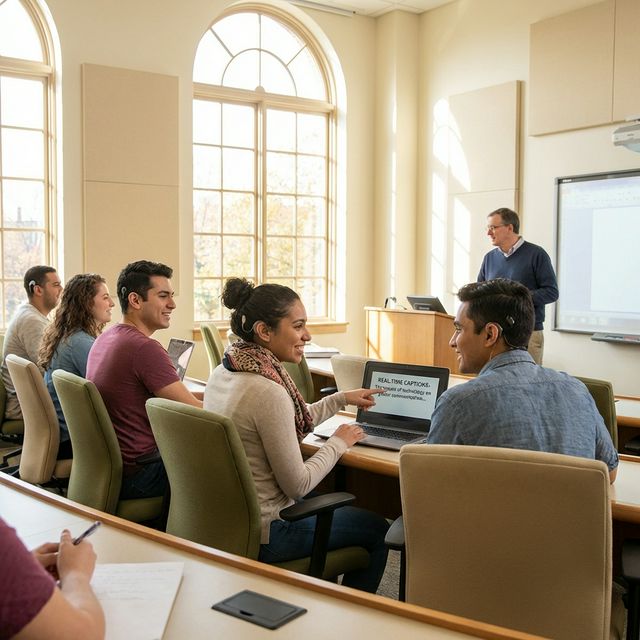
In 2026, new ADA Title II deadlines require public entities to meet specific digital accessibility standards for websites and applications. Workplaces are increasingly recognizing that captions aren't just for the deaf community — they benefit everyone in noisy open offices, multilingual teams, and remote meeting environments.
In education, research from Gallaudet University shows that real-time captions increase engagement for deaf and hard-of-hearing students by 70-85%. And it's not just students with hearing challenges who benefit — 98.6% of all students find captions helpful for focus and comprehension.
The Cost Barrier Is Real
Traditional professional captioning (CART services) costs $75-200+ per hour. Smart glasses like Captify Pro run $799+. Monthly subscription caption apps charge $15-30 per month. For individuals, families, and small organizations, these costs remain a significant barrier to accessibility.
That's where accessible captioning software comes in — solutions that run on your existing computer, no special hardware required.
Getting Real-Time Captions on Your Computer
You don't need smart glasses or expensive subscriptions to access real-time captions today. FluentCap is a free captioning software for desktop that captures any audio playing on your computer and converts it into live text instantly — no special hardware, no monthly fees.

How It Works
FluentCap uses a Bring Your Own Key (BYOK) model. The application itself is completely free — you connect it to a speech-to-text provider of your choice, and the provider handles the transcription. It's straightforward:
Step 1: Download FluentCap from fluentcap.live
Step 2: Choose your speech-to-text provider and enter your API key
Step 3: Click "Start" — captions appear in a floating window over any application
What Makes It Work for Accessibility
| Feature | How It Helps |
|---|---|
| System-wide capture | Transcribes any audio — meetings, videos, podcasts, music |
| Real-time display | Captions appear within milliseconds of the spoken word |
| Floating window | Stays on top of any application, positioned wherever you need it |
| 50+ languages | Translate foreign audio to your preferred language instantly |
| Customizable text | Adjust font size, colors, and display preferences |
| Record & playback | Save sessions for later review with synchronized transcripts |
The Provider Ecosystem
We're grateful to amazing speech-to-text providers who make this technology accessible with generous free tiers:
| Provider | Free Credits | Hours Free | After Free |
|---|---|---|---|
| Deepgram | $200 | ~750 hours | $0.25/hour |
| AssemblyAI | $50 | ~140 hours | $0.36/hour |
| Gladia | 10 hrs/month | ∞ (resets) | Free if <10hrs |
| Shunya | $100 | ~300 hours | $0.15/hour |
That means you can start with hundreds of hours of free real-time captions — more than enough to transform your daily computer experience.
Ready to try it? Download FluentCap — it's free, takes under 2 minutes to set up, and works with any audio on your computer.
Where Captions Help Most
Real-time captioning software on your computer isn't just an accessibility tool — it's a universal communication enhancer that benefits people across many situations.
Education and Online Learning
Students with hearing differences can follow online lectures, webinars, and educational videos without relying on pre-made captions that may be inaccurate or unavailable. International students navigating lectures in a second language can use captions as a comprehension safety net. Even students with perfect hearing benefit from visual reinforcement of complex material.
Remote Meetings and Professional Settings
In today's global workforce, remote meetings often involve participants with different accents, speaking speeds, and language backgrounds. Real-time captions reduce the cognitive load of decoding unfamiliar speech, allowing everyone to focus on the content rather than struggling to understand the words.
Entertainment and Media
Foreign films, podcasts in another language, international news broadcasts, gaming livestreams — captions unlock a world of content that was previously inaccessible. Whether you're watching a Korean drama, following a Japanese anime, or tuning into a French podcast, live captions let you engage with content from any culture.
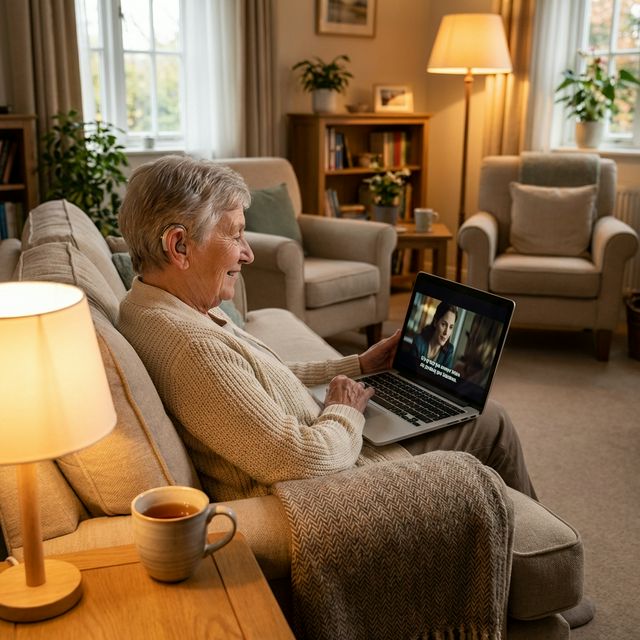
Family Connections
Video calls with grandparents who have age-related hearing loss become meaningful again. Instead of nodding along without understanding, they can read what family members are saying in real-time — bridging the gap that hearing differences can create in the most important relationships.
Thank You to Our Providers
FluentCap is made possible by incredible speech-to-text providers who believe in making this technology accessible to everyone. They generously offer hundreds of hours of free transcription:
- Deepgram: $200 free credits (~750 hours)
- AssemblyAI: $50 free credits (~140 hours)
- Gladia: 10 free hours every month (resets monthly)
- Shunya: $100 free credits (~300 hours)
When your free credits run out, we wholeheartedly encourage you to support these providers. Their pricing is incredibly fair — just $0.15-0.40 per hour, which is 60-80% cheaper than traditional subscription apps. They deserve your support for making speech-to-text technology accessible to everyone around the world.
Frequently Asked Questions
How is FluentCap different from captioning hardware like smart glasses?
FluentCap is a software solution that works on your existing computer — no special hardware needed. While smart glasses and hearing aids with Auracast are wonderful innovations for on-the-go situations, FluentCap excels at desktop use cases: online meetings, streaming content, lectures, and any audio that plays through your computer.
Is FluentCap really free?
Yes! FluentCap itself is completely free. You only pay the speech-to-text providers directly when your generous free credits run out, and their pricing is very affordable at $0.15-0.40 per hour.
How accurate are the real-time captions?
Modern speech-to-text providers achieve 95-98% accuracy in clear audio environments. Accuracy may vary based on audio quality, background noise, and speaker accents. Multiple provider options let you find the best fit for your needs.
Can FluentCap translate foreign languages in real-time?
Yes! FluentCap supports over 50 languages for both transcription and translation. You can watch foreign content, attend international meetings, or listen to podcasts in any language and see captions in your preferred language instantly.
Does FluentCap work with video calls and meetings?
Absolutely. FluentCap captures all system audio, so it works with Zoom, Google Meet, Microsoft Teams, and any other communication platform on your computer.
Conclusion
The accessibility technology landscape of 2026 is inspiring. From Frankfurt Airport's Auracast experiment to Captify Pro's subtitle-displaying glasses, the world is embracing a simple truth: everyone deserves access to clear communication.
While hardware innovations continue to push boundaries, software solutions like FluentCap ensure that real-time captions are available to anyone with a computer — right now, without expensive devices or subscriptions. Whether you're a student navigating lectures, a professional in international meetings, a grandparent wanting to follow video calls, or simply someone who benefits from seeing words as they're spoken, accessible captioning technology is here for you.
When you're ready, give FluentCap a try. We hope it helps you connect with the world in a way that feels inclusive and empowering.
Related Articles
More ways FluentCap brings accessibility to everyone:
- Real-Time Captions for Deaf & Hard of Hearing — A comprehensive guide to using FluentCap for hearing accessibility
- FluentCap for International Meetings — Break language barriers in professional settings
- Watch Foreign Movies with Real-Time Subtitles — Enjoy films from any country with instant captions
- Multilingual Family Video Calls — Bridge language barriers in family video calls
— FluentCap Team
Built to bring good things to the world.